and/or use the Clear URLs extension.
Instead of using a whole new extension (which increase your attack surface), just
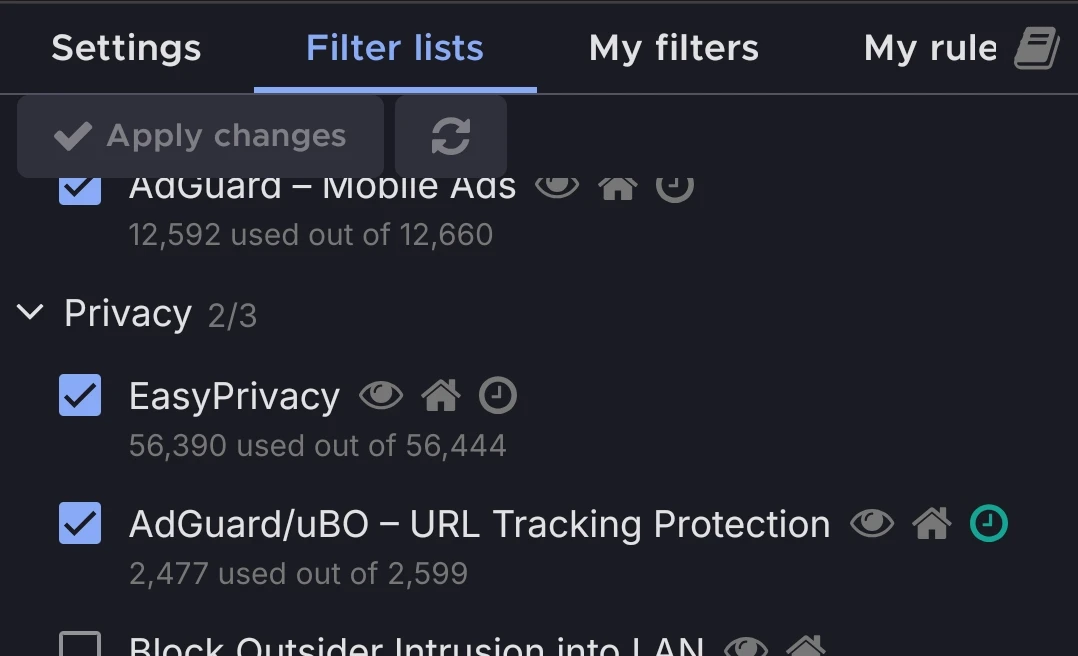
- Add this filterlist to uBlock Origin: https://gitlab.com/DandelionSprout/adfilt/-/raw/master/LegitimateURLShortener.txt
- Enable “AdGuard/uBO - URL Tracking Protection” filterlist
ClearURLs extensiom needs the ability to read and modify every link you visit, which is very dangerous. Highly recommend just using uBlock Origin because it can do the same thing.
From a layman, thank you
uBlock has an option to remove these…
Here it is on mobile.
Another useful rule:
If you are on a gargantuan site with millions of unique content items, and the link is unreasonably short, it is likely a personalized link tied to your account.
Facebook does this, I think TikTok too, which might even show the viewer which account generated the link, hence doxing your real identity.Always try to get the content link from the web url through a private browser window, instead of clicking dedicated “Share” buttons on pages.
Examples (from memory, so inaccurate) :
facebook.com/share/GPQR221
instead of
facebook.com/video/10000021928282/…YouTube is an exception to this rule.
Amazon does this too.
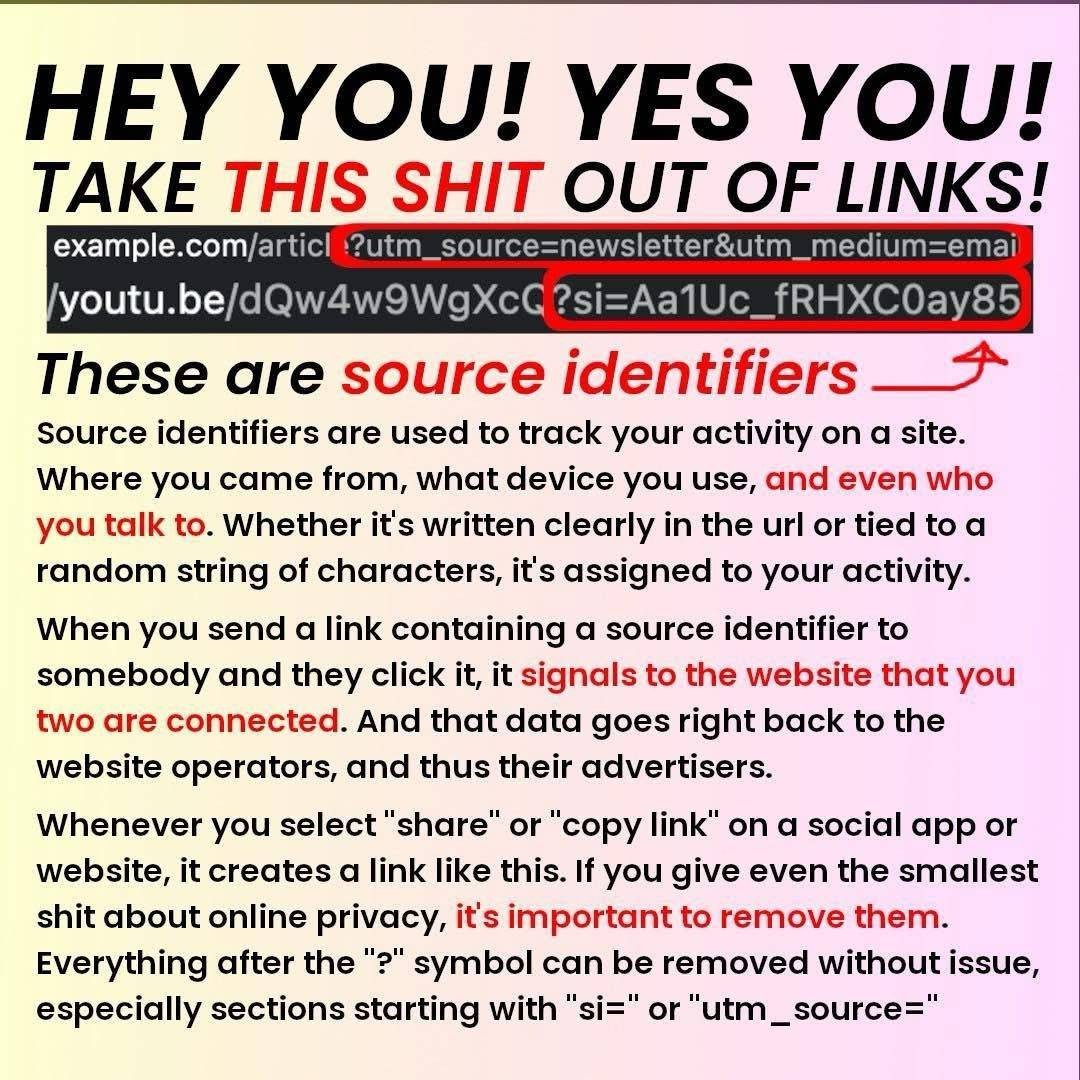
Some websites do have required information after the
?which is needed for linking to the correct page/section.If you’re not sure, try deleting it and pasting the modified link in a new tab. If it doesn’t work, try again with one additional argument (the text separated by
?or&) at a time until the link works.also, like, look at what the text is. If it says
?tracking=8kk90902qthen it’s probably a tracking string, if it says?video=k8a9rit’s probably important to get the actual content you’re linking to.
On this regard, Reddit also no longer lets you sort by top/all without getting TONS of trackers.
assholes. good thing i left for lemmy
Yay, me too! 🥳
Sharing a tracked link is a netizens equivalent of sneezing without covering your face. Unhygienic
this has not many users so pretty trackable, so more of us should use it to make it work better
https://addons.mozilla.org/en-GB/firefox/addon/refer-deez-nuts/
its like clear urls but sets the string to deez_nuts
Save this in your bookmarks:
The
?part (parameters) sometimes do play a role. But by removing parts like?maxheight=300, you can sometimes get higher quality images.Then there’s the
#part (section). If you’re referencing a section in a long document, check if there’s a ToC linking to headings, or a#link next to them. For PDFs,#page=Xusually works. BTW it is mostly harmless: just identify the HTML element ID to scroll into view and most browsers don’t send it to the server (but JavaScript can access it).I’ve been deleting these tags for ages, it takes just a few seconds, and it is useful.
I’ve been seeing youtube links with an
&is=, is that the same thing or something else?yep. different websites have different identifiers but are functionally the same
The only important ones to keep for youtube are
v=<whatever>, since that’s the video ID, andt=<whatever>, the timestamp.
If you are on android here is my favorite piece of software:
https://f-droid.org/packages/com.trianguloy.urlchecker/
Every time I get a link from friends, it goes trough that tool and it also supports regex, so you can automate some shit :D
+1 for urlchecker.
You can set it to open any link first (as if it were you primary browser), then have it link you through to whatever app.
I use urlchecker from triangulous for this
The Clear URLs extension is also available on Firefox for Android - cool stuff
A little something for those of you on iOS:
