Goddamn, that’s a dense meme!
they/them
- 1 Post
- 21 Comments
Joined 10 days ago
Cake day: August 15th, 2026
You are not logged in. If you use a Fediverse account that is able to follow users, you can follow this user.
- heliotrope@slrpnk.nettoLinux@programming.dev•What Software Do You Use? INCLUDING OPERATING SYSTEMEnglish5·2 days ago
I have several machines, a few of which I plan to reinstall sooner or later, so:
# System
Distro: Devuan GNU+Linux, Void Linux, NetBSD, Alpine Linux (near future), Guix (near future)
Init System: OpenRC, SysVinit, Shepherd (near future)
Window Manager: cwm, Fluxbox, Xfce, river-classic (near future), *TBD* (near future)
Shell: ksh93
Terminal: Alacritty, Sakura, foot, Xfce Terminal
Terminal Multiplexer: dvtm
Application Launcher: (WM builtin), rofi
Notification: dunst, Xfce Notifier
Compositor: Picom, XCompMgr, wlroots, Xfwm
Panel: Polybar, fbpanel, Xfce Panel, *TBD* (near future)
Audio: PulseAudio, ALSA, OSS

# The Web
Web Browser: Tor Browser, Librewolf
Chat: Discord, Signal
VPN: IVPN

# File Management
File Browser: Midnight Commander, Nemo, PCManFM, Thunar
File Sharing: Syncthing, netcat, (physical disks)
Torrent: KTorrent, Deluge
Git CLI: Game Of Trees, Git

# File Creation/Modification
Text Editor: nano
Code Editor: nano
LaTeX Editor: TeXStudio
Image Editor: GIMP, GraphicsMagick
Video Editor: OpenShot, ffmpeg, blind
Audio Editor: Tenacity, KWave, ffmpeg
Document Editor: OpenOffice, nano

# File Viewing
Music Player: qmmp
Media Player: MPlayer
Image Viewer: imv
Document Viewer: Zathura

# Utility
Screenshotter: scrot, grim
Video Recorder: SSR, wf-recorder
Color Picker: gpick, GIMP, (custom script I keep losing)
Default Apps: XDG
Dotfile Manager: `cp -r ~/.* /path/to/disk`
Network TUI: nano, nmtui, nyx
Bluetooth TUI: bluetoothctl
Volume TUI: pactl, alsamixer, mixerctl
Disk Analyzer: Baobab
Wallpaper: Nitrogen, swaybg
Markdown Renderer: glow

# Gaming
Game Launcher: Steam, PrismLauncher

# Productivity
Flashcard: (physical cards)
I also plan to run Haiku on one of my older machines, but I can’t write down its components (e.g. init system, audio server), as it’s more monolithic than NetBSD or GNU/Linux.
To transfer files using netcat, it’s:
# Replace 1337 with any port number you like
nc -vl 1337 > file   # On recipient
nc -N 192.168.X.X 1337 < file   # On sender
Of course, things like compression and encryption need to be done beforehand; but one would hopefully use other means to transfer such files.
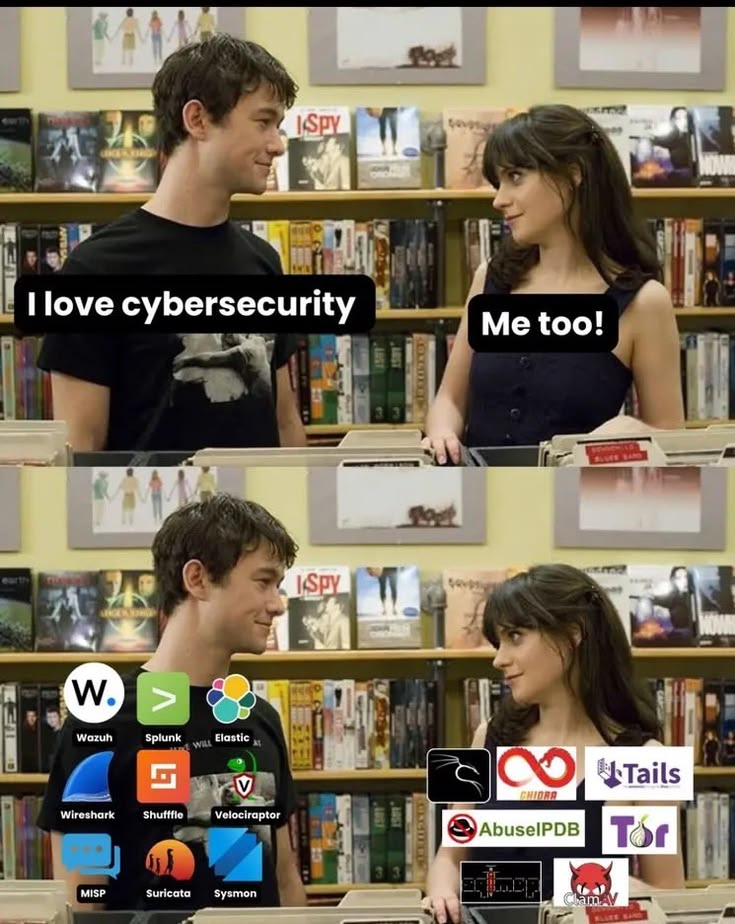
(InfoSec vs. PrivSec, perhaps?)
Wtf is up with Lemmy right now‽ It’s suddenly become rather xenophobic.
Depending on your drivers, you could give Guix a go. It’s not for everyone; but it’s decent, solid, and I used to run it on a 32-bit machine with 3GB of RAM.
If you do require nonfree drivers, there are guides to set it up using Nonguix; but I don’t know how well that works (I am yet to try it).
- heliotrope@slrpnk.nettoLemmy Shitpost@lemmy.world•Waiting to go into action and debating where you will wind upEnglish11·2 days ago
Fun fact: this is from an anti-pollution PSA by Friends Of The Earth or Greenpeace or some other activist charity.
ковер плесень means “carpet mold”
- heliotrope@slrpnk.nettoMicroblog Memes@lemmy.world•Google's AI is surely something to behold, i can tell you that much.English9·3 days ago
You probably want something like !196@lemmy.blahaj.zone for this. !microblogmemes@lemmy.world is for toots, tweets, twtxts, blogs, and other social media shite.
- heliotrope@slrpnk.nettoLemmy Shitpost@lemmy.world•tbh as a Canadian, I deplore the current US federal administration and basically the entire GOP, but I still admire the US Constitution and those who fight for itEnglish5·3 days ago
I’m aware. It’s fun to respond, sometimes.
- heliotrope@slrpnk.nettoNot The Onion@lemmy.world•Rising Temperatures Are Threatening Italy’s Bank Reserves—Because They’re Made of Parmesan CheeseEnglish161·3 days ago
What is this, The Day Today?
- heliotrope@slrpnk.nettoLemmy Shitpost@lemmy.world•We Misjudged the Furry Fandom. Paging /u/AbyssianEnglish193·4 days ago
Zoophiles are, quite rightly, ostracised and despised by nearly all furries, just as in non-furry communities.

Space Invaders. Looks like I’m shooting some spaceships!
Imagine being high walking into this bathroom!
- heliotrope@slrpnk.nettoLemmy Shitpost@lemmy.world•When your life is really emptyEnglish11·8 days ago

- heliotrope@slrpnk.nettoLemmy Shitpost@lemmy.world•this isn't fucking funny at allEnglish36·9 days ago

- heliotrope@slrpnk.nettoAsk Lemmy@lemmy.world•Without mentioning War, ICE Raids or Epstein, What's the worst thing Trump and or GOP has done since the second administration?English1·10 days ago
Immense damage has been done to the short-term and long-term health of the USA and several other countries. Measles had been eradicated, for fuck’s sake!
Ah, yes. The OS with an innit system, UKUI (United Kingdom User Interface) or MATE (you wot m8‽), and british (bloody ridiculous interactive terminal input shell).